Microsoft Introduces a Redesigned Run Menu for Windows 11 Insiders
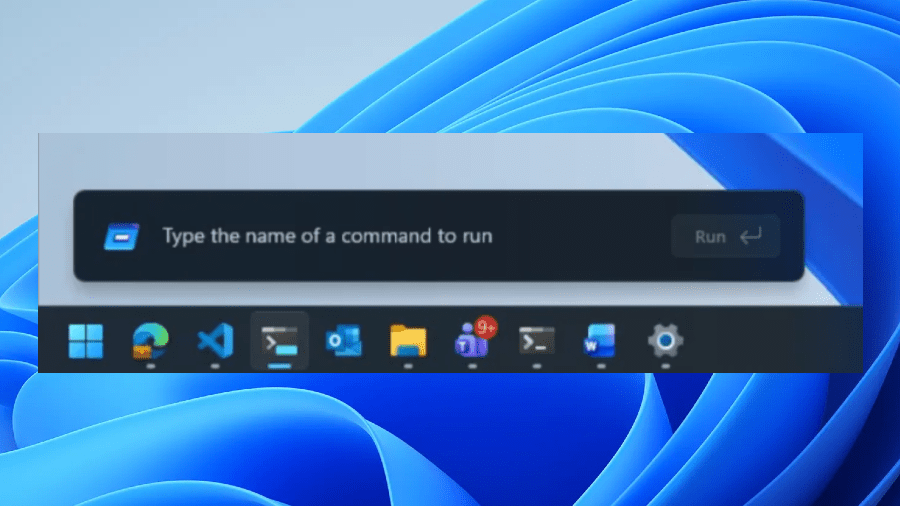
In an exciting development for Windows 11 users, Microsoft has begun testing a significant redesign of the Run menu, aiming to modernize the interface and enhance user experience. This update is currently being rolled out to Windows 11 Insiders in the new Experimental Channel, promising a faster and more visually appealing way to access system commands and applications.
What’s New in the Run Menu?
The revamped Run menu comes with a range of new features that signal a shift towards a more streamlined and user-friendly design. Chief among these is the introduction of dark mode support, catering to the growing number of users who prefer darker themes for reduced eye strain and a more contemporary aesthetic.
Microsoft’s redesign also reflects a focus on functionality, as the company has made some notable changes based on user feedback. One significant alteration is the removal of the “Browse” button, which previously served as a shortcut to user files. Microsoft found that this feature was used very infrequently, prompting the decision to streamline the interface by eliminating it.
Introducing the New “~” Command
In place of the removed Browse button, Microsoft has introduced an innovative new command: the “~” command. This simple yet effective addition directs users straight to their user directory, making it easier to access personal files and folders quickly. This change highlights Microsoft’s commitment to improving usability, ensuring that users can navigate their systems with greater efficiency.
Leveraging Command Palette Technology
The new Run menu has been constructed using code from the Command Palette, a feature available through Microsoft’s PowerToys utility. The Command Palette has gained popularity for its ability to provide quick access to various functions and commands, and now, by integrating similar technology into the Run menu, Microsoft aims to enhance the overall user experience.
Feedback from Windows 11 Insiders
As part of the testing phase, Windows 11 Insiders are encouraged to provide feedback on the new Run menu features. This feedback will be invaluable in refining the design and functionality before a wider rollout to all users. Early adopters have already begun sharing their first impressions, noting the increased speed and responsiveness of the updated menu.
A Step Towards Modernization
This redesign of the Run menu is part of Microsoft’s broader efforts to modernize Windows 11, aligning it with contemporary design trends and user expectations. The focus on dark mode and streamlined features reflects a growing understanding of how users interact with their devices, prioritizing convenience and aesthetic appeal.
Conclusion: What This Means for Users
For Windows 11 users, this updated Run menu represents a step forward in creating a more efficient and enjoyable computing experience. With the introduction of dark mode and the new “~” command, users can expect a more intuitive interface that caters to their needs. As Microsoft continues to test and refine this feature, it will be interesting to see how it evolves and what additional enhancements may be on the horizon.
Stay tuned for more updates from Microsoft as they roll out this exciting new feature to a broader audience in the coming months.